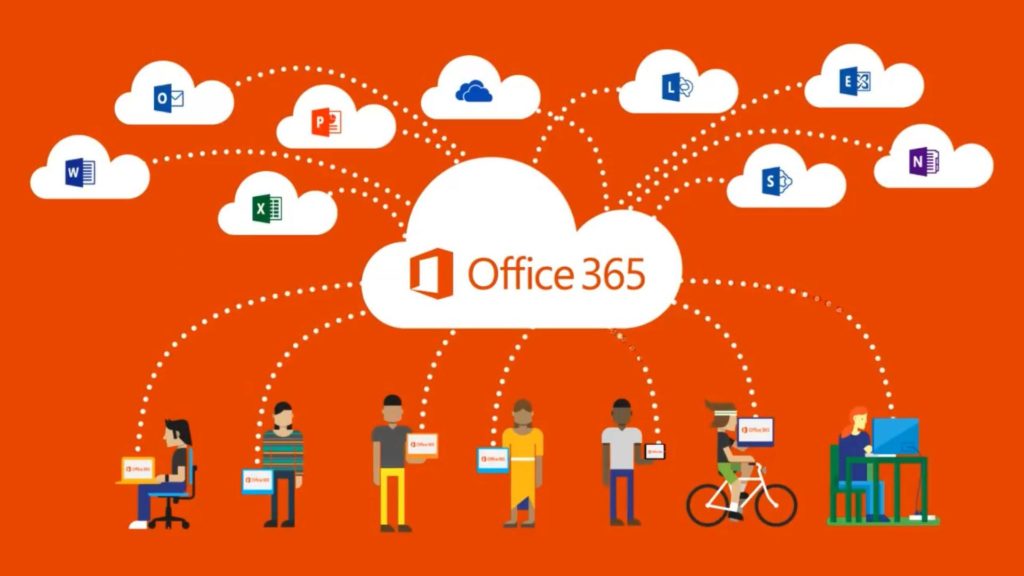
Microsoft 365: How to Buy, Why Businesses Use It, Security Concerns & Complete Feature Guide
Microsoft 365 (formerly Office 365) has become one of the most essential productivity solutions for businesses, students, and professionals. With cloud-based tools, AI-powered apps, and top-tier security, Microsoft 365 helps teams work smarter and faster from anywhere.
This article covers:
How to buy Microsoft 365
Why businesses and individuals use it
Security concerns & how Microsoft handles them
Complete list of features
2. Why We Use Microsoft 365?
✔ 2.1 Cloud-Based Work Anytime, Anywhere
All data, emails, and files are stored in the cloud, allowing access from:
Mobile
Laptop
Browser
Tablets
✔ 2.2 Professional Email & Branding
With Outlook + custom domain email (yourname@yourcompany.in), businesses get:
More trust
Better branding
Higher customer response
✔ 2.3 Team Collaboration Made Easy
Microsoft Teams allows:
Video meetings
Group chats
File sharing
Project collaboration
✔ 2.4 AI-Powered Productivity
Microsoft Copilot and AI features improve:
Writing
Presentations
Data analysis
Automation
✔ 2.5 Integrated Apps in One Subscription
No need to purchase Word, Excel, or email hosting separately.
3. Security Concerns & How Microsoft Protects You
Security is the biggest reason companies choose Microsoft 365.
✔ 3.1 Data Encryption
All files and emails are encrypted both in transit and at rest.
✔ 3.2 Multi-Factor Authentication (MFA)
Protects accounts even if passwords are leaked.
✔ 3.3 Anti-Phishing & Anti-Spam Protection
Advanced filters block:
Viruses
Malware
Suspicious links
Phishing attacks
✔ 3.4 Zero-Trust Security Model
Microsoft verifies every login and device before granting access.
✔ 3.5 Ransomware Protection
OneDrive detects suspicious activity and allows file restoration.
✔ 3.6 Secure Cloud Storage
Data stored in Microsoft’s global data centers with ISO-certified security.
✔ 3.7 Admin Controls
Admins can:
Control who accesses what
Set password rules
Block compromised users
Monitor usage and security alerts
✔ 3.8 Compliance Support
Useful for industries like healthcare, finance, and education.
4. Complete Features of Microsoft 365
A. Office Apps
Word
Excel
PowerPoint
Outlook
OneNote
Access (PC only)
Publisher (PC only)
B. Cloud Storage
1 TB OneDrive per user
Store and share files securely.
C. Business Tools
Microsoft Teams
SharePoint
Exchange Email
Bookings
Planner
Forms
To Do
D. Security Features
MFA
Encryption
Data Loss Prevention (DLP)
Azure AD Identity management
Defender for Office 365 (Premium plans)
E. AI Features (Copilot)
Email drafting assistance
Excel insights
Automatic PPT creation
Smart summaries
Chat-based help
5. Microsoft 365 Pricing Overview (India) (Approx.)
Personal Plans
Personal: ₹4,899/year
Family: ₹6,199/year
Business Plans
Business Basic: ₹125/user/month
Business Standard: ₹660/user/month
Business Premium: ₹1,320/user/month
(Prices vary depending on reseller discounts.)
Conclusion
Microsoft 365 is more than just Word and Excel — it’s a complete productivity, email, collaboration, and security solution. Whether you're a student, SME, or enterprise, Microsoft 365 ensures:
Secure communication
Efficient teamwork
Cloud access
AI-driven productivity
